Salesforce releases three major updates every year, each packed with hundreds of features. As an architect, I don’t believe our job is to understand every feature with the same level of depth. The more important question is: What does this release change about my architecture?
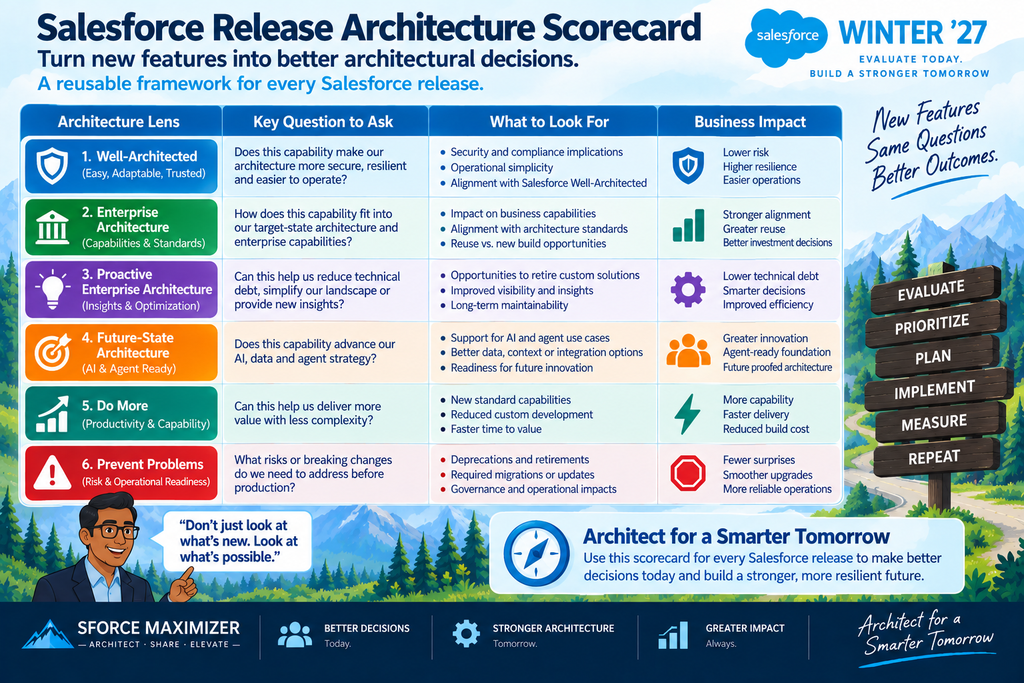
When I review a Salesforce release, I look beyond individual features and evaluate what they mean for security, enterprise capabilities, data architecture, scalability, technical debt, and the future state of the platform. For Winter ’27, I used six architectural buckets to identify the capabilities I believe deserve attention:
Well-Architected → Enterprise Architecture → Proactive Enterprise Architecture → Future-State Architecture → Do More → Prevent Problems
This isn’t intended to be a comprehensive list of everything Salesforce delivered in Winter ’27. Instead, these are the changes that made me stop and ask: Should we architect differently now that this capability exists?
1. Well-Architected: Protect, Restrict and Govern
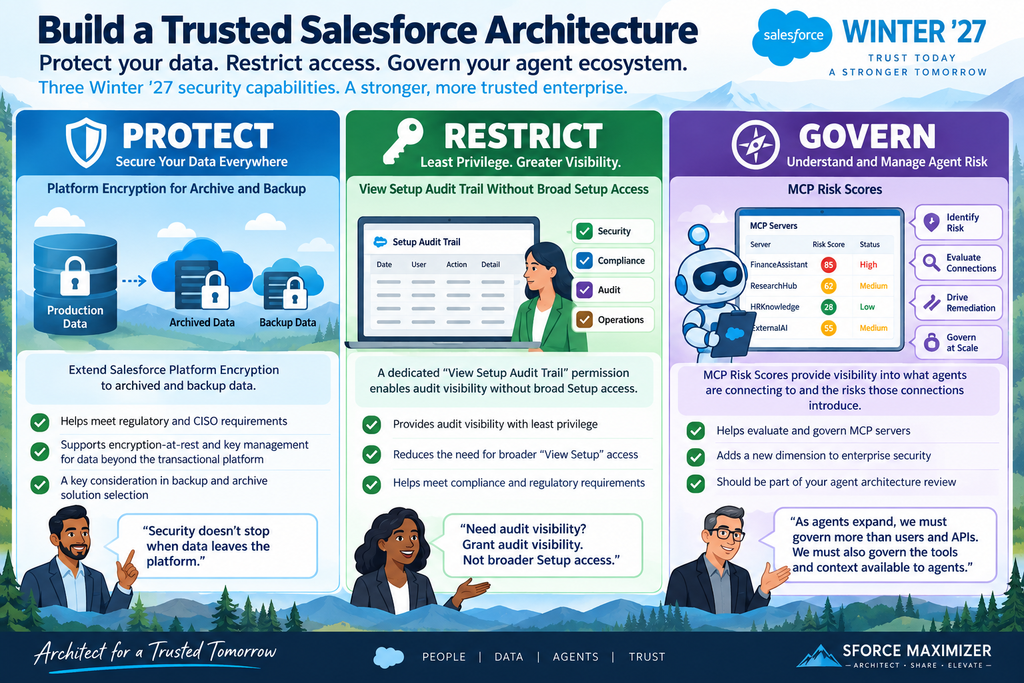
Salesforce’s Well-Architected framework emphasizes Easy, Adaptable and Trusted architectures. For Winter ’27, three security capabilities stood out to me because they address trust at very different points in the architecture. My framework for looking at these capabilities is simple:
Protect → Restrict → Govern
Protect: Platform Encryption for Archive and Backup
Encryption at rest is already a standard question during the evaluation of enterprise backup solutions, particularly in regulated environments. What changes with Winter ’27 is the ability to extend Salesforce Platform Encryption into archived and backup data. For architects, this isn’t necessarily something that belongs on every Architecture Review Board agenda. It is primarily a solution-selection and compliance-validation requirement. When evaluating a Salesforce backup architecture, ask:
Does our backup and archived data satisfy the organization’s encryption-at-rest and key-management requirements?
For organizations operating under strict CISO or regulatory requirements, the security architecture cannot stop when data leaves the transactional Salesforce platform.
Restrict: View Setup Audit Trail Without Broad Setup Access
This one may look small, but I consider it an important compliance gem. Organizations in regulated industries often need security, compliance or operational teams to review Setup Audit Trail information. Historically, providing that visibility could require broader View Setup access. That’s a problem because you’re granting a privileged capability simply because someone needs access to audit information. Winter ’27 introduces a dedicated View Setup Audit Trail permission.
Now the security model can follow a much cleaner principle: Need audit visibility → Grant audit visibility rather than: Need audit visibility → Grant broader privileged Setup access. For Architecture Review Boards, this should become a least-privilege review question:
Are we providing broad Setup privileges to anyone who only needs audit information?
Govern: MCP Risk Scores
MCP introduces another dimension to enterprise security. As organizations begin connecting agents to MCP servers, architects and CISOs need visibility into what those agents are connecting to and what risk those connections introduce. MCP Risk Scores provide another governance signal that organizations can use when evaluating MCP servers. This should become part of the agent architecture review:
Which MCP servers are exposed to or from our Salesforce environment, what risks do they introduce, and who owns remediation?
As the agent ecosystem expands, governing users and APIs won’t be sufficient. We also have to govern the tools and context available to agents.
2. Enterprise Architecture: Who Should Orchestrate the Agents?
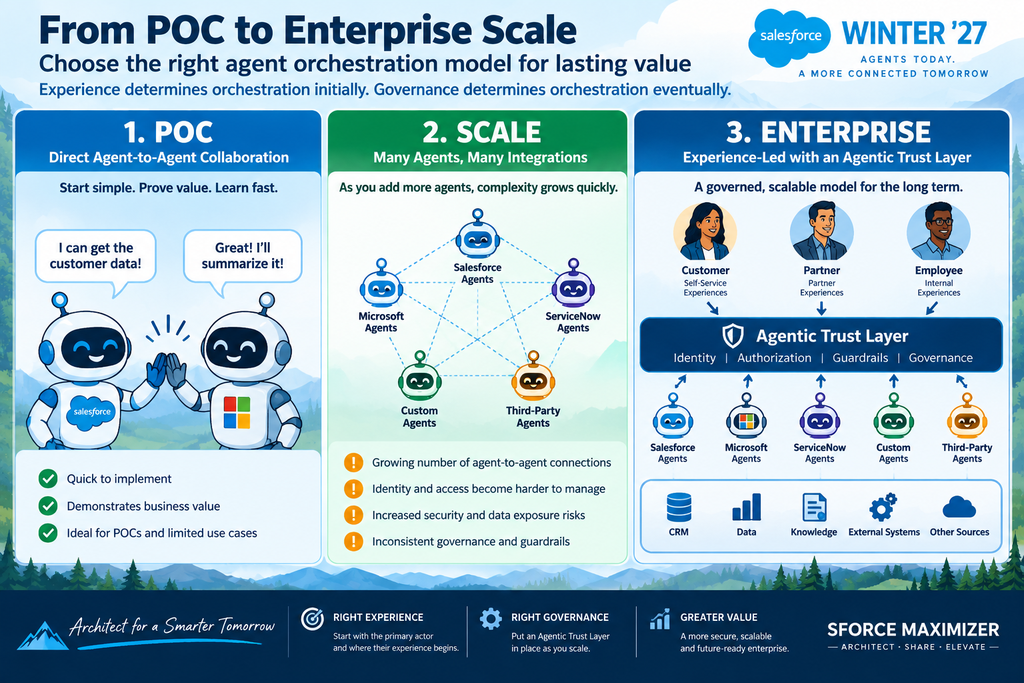
One of the most architecturally significant Winter ’27 capabilities for me is Third-Party Agent Orchestration. As enterprise applications introduce their own agents, organizations will quickly find themselves with Salesforce agents, Microsoft agents, ServiceNow agents, custom agents, and potentially many others. The obvious question becomes:
Which platform should be the primary orchestrator?
I think that’s the wrong place to start.
Let the Experience Determine the Orchestrator
My starting point is the primary actor: Customer → Partner → Employee. Then ask: Where does that actor’s experience begin?
In one implementation I worked on, a customer could watch content and ask questions through an experience backed by Microsoft Azure AI Foundry. That made the Microsoft agent the natural primary orchestrator. When CRM or broader program information was required, it could delegate to a Salesforce agent. Salesforce could also handle human escalation. There would be little architectural value in forcing Salesforce to become the primary orchestrator for all usecases simply because Salesforce now supports agent orchestration.
My principle is: Choose the primary orchestrator based on the experience—not the vendor.
But That Model Changes at Enterprise Scale
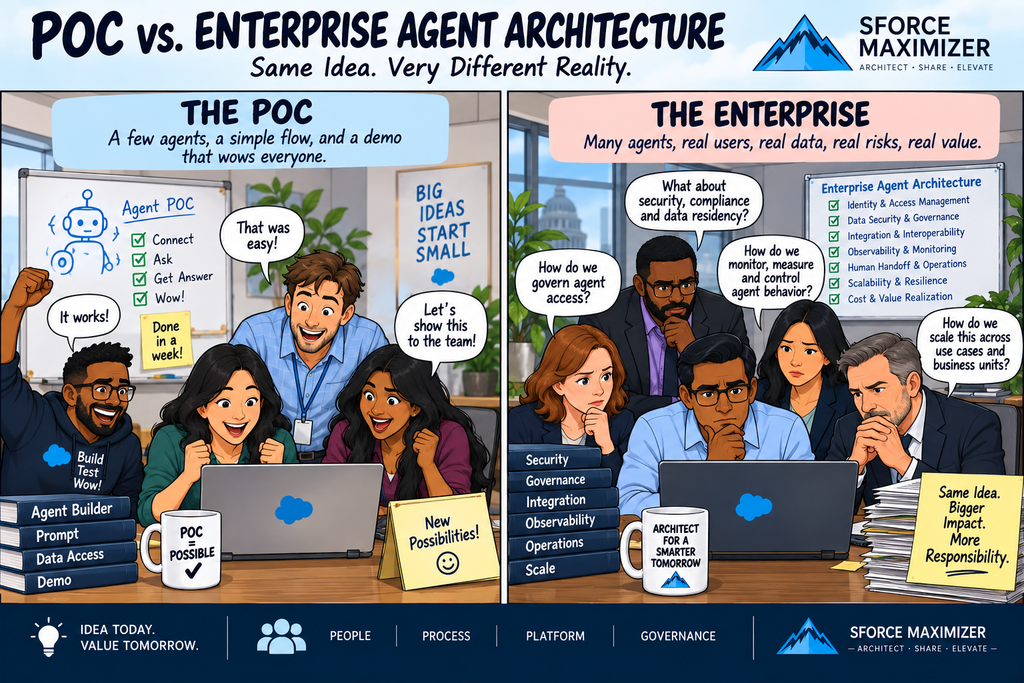
During a POC, direct agent-to-agent interactions make sense. Agent A → Agent B They allow teams to move quickly and prove value. But imagine dozens or hundreds of these relationships. Agent → Agent → Agent → Agent → Agent… Who validates identity? Who determines which customer information can cross those boundaries? Who determines whether one agent is authorized to invoke another? And who governs what tools those agents can access? This creates an entirely new enterprise operating model around Agent Governance and Security. I believe organizations will eventually need an Agentic Trust Layer. The evolution looks something like:
The centralized layer becomes the gatekeeper of trust—understanding actor and agent identity, controlling data exposure, applying authorization and guardrails, and governing agent interactions. That leads to one of my biggest architectural takeaways from Winter ’27:
3. Proactive Enterprise Architecture: Turn Metadata Into Architecture Intelligence
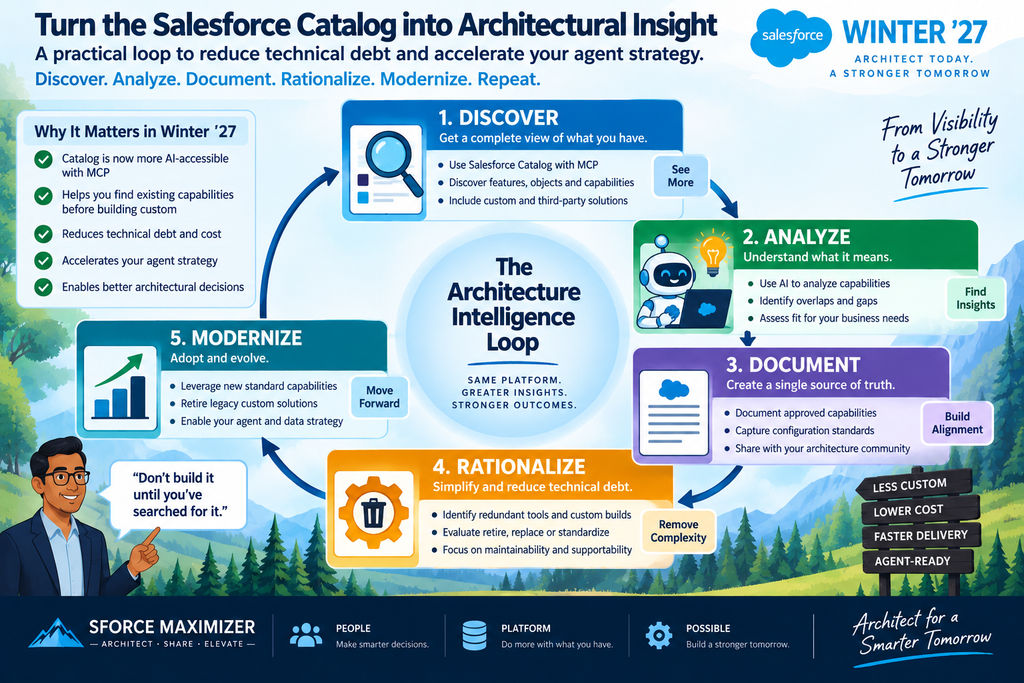
Another Winter ’27 capability that caught my attention is Salesforce Catalog, particularly when combined with MCP and LLM capabilities. Consider a mature Salesforce org with more than 100 objects, years of configuration, Apex, Flows and integrations. One of the most time-consuming responsibilities for an architect is often not building the next solution. It’s figuring out: What will break if we change something? Impact analysis can consume hours of an architect’s or administrator’s time. Catalog combined with LLM access through MCP opens an interesting possibility: turn Salesforce metadata into an architecture intelligence capability.
I see three practical opportunities. Analyze Before You Build. Imagine asking: “What could be affected if we modify this object or field?” An LLM with appropriate Salesforce metadata context could help identify dependencies and provide an initial impact analysis and high-level level-of-effort estimate. That doesn’t mean architects should blindly trust the result.
My rule is: Trust, but verify. AI can dramatically accelerate architectural discovery. The architect remains accountable for validating the analysis and making the decision.
Let AI Attack Documentation Debt
Documentation is frequently one of the lowest-priority activities on Salesforce projects. Technical teams are busy delivering capabilities, and creating meaningful descriptions for objects, fields, and other metadata takes time. This is an area where LLMs can help. The model could become:
Metadata → LLM-generated description → Human review → Approved metadata documentation. Instead of asking humans to write every description from scratch, AI does the first pass, and humans approve or correct it.
Continuously Rationalize the Data Model
The third use case may be the most strategically important. Salesforce continually introduces new standard objects and platform capabilities. Organizations that implemented similar capabilities years ago may still be maintaining custom data models because nobody has gone back and reconsidered those decisions. Catalog and AI could eventually help architects ask:
Why are we still maintaining this custom data model when Salesforce now provides a standard capability?
Moving toward standard Salesforce capabilities where appropriate can reduce custom technical debt while helping organizations maintain longer-term feature parity with the Salesforce platform.
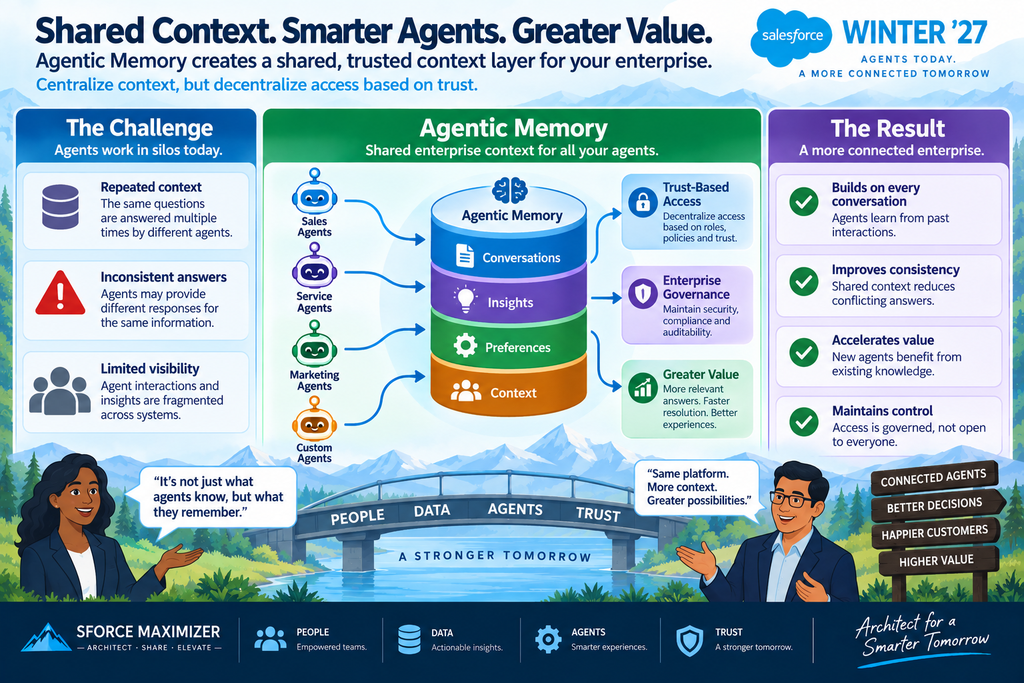
Agentic Memory is another Winter ’27 capability that deserves more than a feature-level discussion. As enterprises deploy more agents, individual conversation memory isn’t enough. A customer might interact with a Salesforce agent today, a Microsoft agent tomorrow and eventually a human service representative. If the context remains trapped inside each agent conversation, every new interaction starts rebuilding the customer’s story. The future state should move toward a shared enterprise context layer.
Shared Context Without Shared Access
Agents should be able to retrieve the context necessary to execute their responsibilities effectively. A shared context architecture also prevents the enterprise from designing around the limitations of one particular LLM, RAG implementation, API exchange, or conversation thread. But another important consumer of this context is humans.
When an agent escalates a customer interaction, the human may need more context than the agent itself needed. Instead of forcing the employee to reconstruct multiple agent conversations, the shared context layer can provide intent, relevant history, and concise summaries needed to act. But centralized memory absolutely does not mean every agent gets every piece of information. That is where the Agentic Trust Layer returns.
The model becomes: Agent Identity → Agent Persona → Authorization → Permitted Context → Guardrails
My principle is: Centralize context, but decentralize access based on trust.
Three Questions Before Turning On Agentic Memory
Before implementing Agentic Memory, I would ask three architectural questions:
1. Identity & Security: Are the identities and personas of the agents defined, and do we understand what information each agent should access?
2. Retention & Compliance: Does the stored context comply with enterprise retention, privacy and regulatory requirements?
3. Context Quality: How good is the information we’re actually preserving? Does it include customer intent, relevant guidance/contextual data, and concise summaries that allow humans to take action?
Data Cloud may provide the shared memory/context repository for many Salesforce-centric use cases, but the technology decision should follow the use case.
I would evaluate the context platform around: Speed of Access → Quality of Context → Security
Agentic Memory isn’t valuable because an agent remembers more. It’s valuable when the right agent receives the right context, for the right period, under the right controls.
5. Do More: Expand the Salesforce Capability Envelope
Not every architecturally useful release feature requires a new architecture framework. Sometimes Salesforce simply lets us do something we couldn’t easily do before. That’s my Do More category. Three Winter ’27 changes stood out.
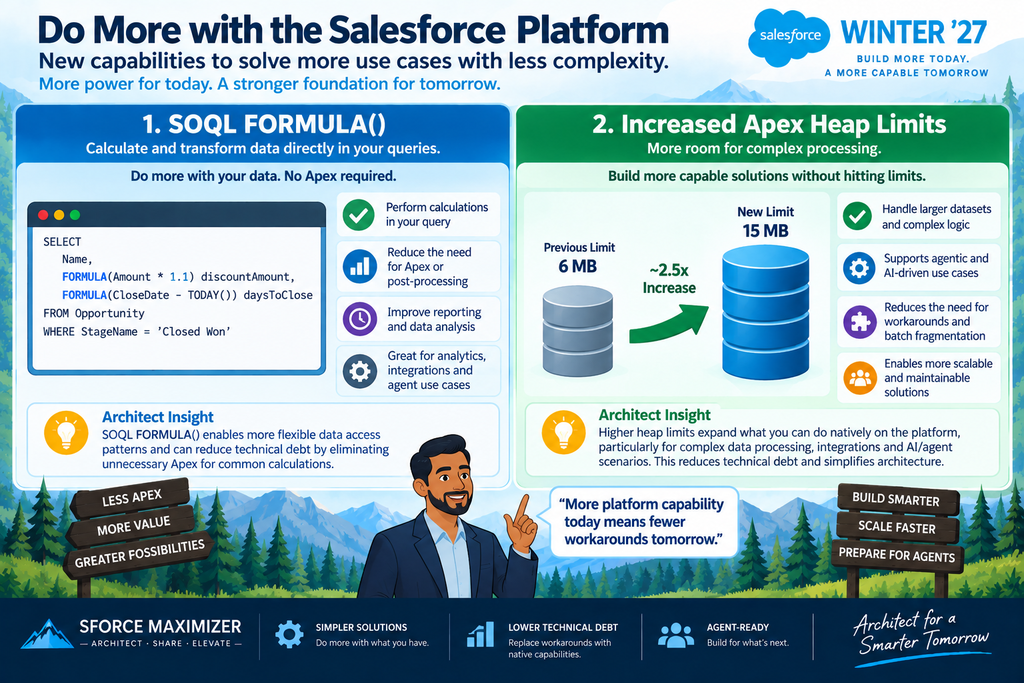
Compare Field Values Directly in SOQL
The new FORMULA() capability in SOQL WHERE clauses lets developers perform comparisons that previously required additional formula fields or Apex processing. That’s potentially a blessing. Fewer formula fields can mean a cleaner data model and fewer workaround fields created simply to support querying. But it can also become a curse.
If increasingly complex business logic gets buried in individual SOQL queries, maintainability can shift from metadata to code. So the question isn’t simply: “Can I eliminate this formula field?” It is: “Where should this business logic live so it remains understandable and maintainable?”
Increased Apex Heap Limits
Winter ’27 significantly increases Apex heap capacity, giving developers considerably more headroom to process larger datasets. This opens interesting architectural possibilities. Existing batch processes could potentially be redesigned to handle more data per transaction. More importantly, organizations that previously pushed ETL or data-processing workloads outside Salesforce partly because of platform memory constraints may have opportunities to reconsider where those workloads belong. That doesn’t automatically mean move ETL back into Salesforce. It means the constraint has changed—and therefore the architecture deserves another look.
6. Prevent Problems: Find Tomorrow’s Production Issues Today
This may be my favorite category. Most release reviews focus on: What new capability should we adopt? Architects should also ask: What problem can this release help us prevent? I call this the Prevent Problems List.
Winter ’27 provides three good examples.
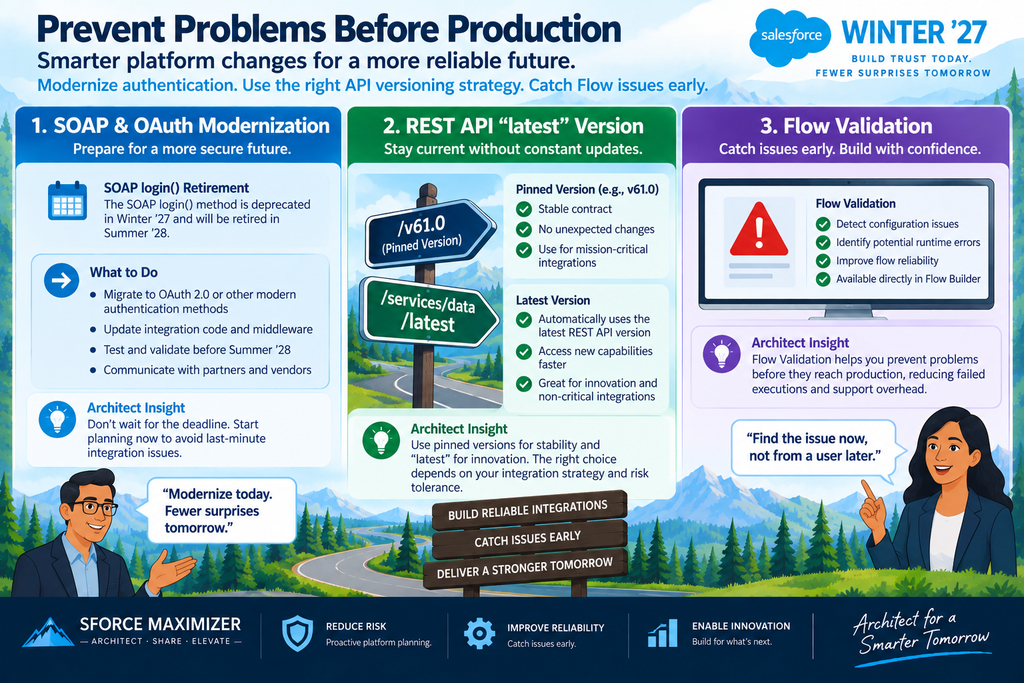
SOAP Login: Find Legacy Authentication Before It Finds You
This one affected one of my own implementations. A client was using a third-party tool that relied on SOAP login. Legacy SOAP authentication patterns can require credentials such as usernames, passwords, and security information to be securely stored. As Salesforce moves away from this authentication approach, we had to identify the dependency and advise the client to move to OAuth-based authentication using an appropriate external/connected app architecture.
The immediate recommendation for architects is straightforward:
Inventory integrations and tools that still depend on SOAP login() and develop their OAuth migration strategy before retirement becomes a production incident.
This isn’t merely an API retirement. It’s an opportunity to remove legacy authentication and credential-storage debt.
REST API latest: Reduce Version Maintenance
REST integrations traditionally specify an API version in their URI. Over time, teams have to maintain those versions as Salesforce evolves. Winter ’27 allows REST API requests to reference latest, reducing the need to continually change explicit version numbers for appropriate integrations. There is an architectural tradeoff here. Some integrations benefit from automatically consuming the latest API version. Others require the predictability of a deliberately pinned API contract.
So the question becomes: Does this integration value automatic currency or contract stability more? Where automatic currency makes sense, latest can eliminate unnecessary API-version maintenance.
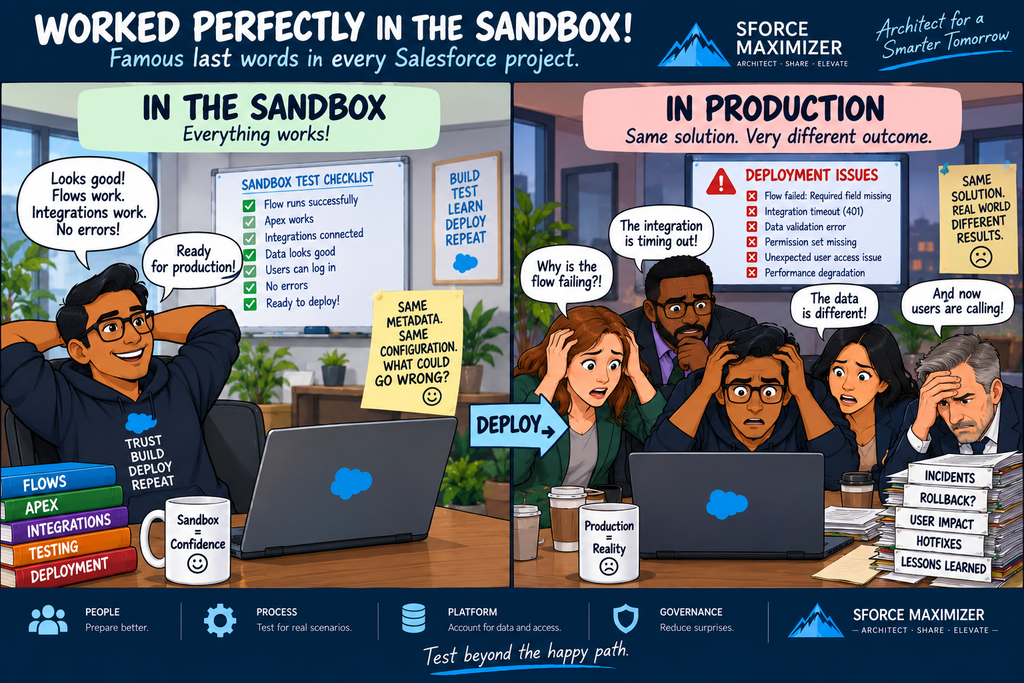
Flow has democratized Salesforce automation, but citizen development creates its own quality challenges. A Flow creator may not know that a required field hasn’t been populated. They may assign a value longer than the destination field allows. Historically, some of those issues could survive development and become runtime bugs—sometimes in production.
Winter ’27 adds Flow Builder warnings that help surface issues such as missing required fields and field-length violations earlier. That’s exactly what proactive architecture should encourage. Move from: Build → Deploy → Fail → Support Ticket → Debug → Fix toward: Build → Validate → Warn → Correct → Deploy
The closer we can move defect detection to the person building the solution, the less expensive the defect becomes.
The Winter ’27 Architecture Scorecard
The real lesson from Winter ’27 isn’t any single feature. It’s having a repeatable method for evaluating every Salesforce release.
Architecture Lens
Question to Ask
Well-Architected
Does this make our architecture easier, more adaptable or more trusted?
Enterprise Architecture / TOGAF
Does this change a business capability, target state, governance model, or operating model?
Proactive Enterprise Architecture
Can this improve our data/process architecture or eliminate existing technical debt?
Future-State Architecture
Does this change scalability, resilience or our AI/context architecture?
Do More
What can Salesforce now do that wasn’t possible or practical before?
Prevent Problems
What security, deployment or operational problem can we prevent before it reaches production?
Stop Asking Only “What’s New?”
Every Salesforce release will contain hundreds of features. An architect doesn’t need to chase all of them. Instead, I recommend asking six questions:
What makes my architecture more trusted?
What changes my enterprise target state?
What can help me simplify yesterday’s architecture?
What should I prepare for tomorrow?
What can Salesforce do now that it couldn’t do before?
What problem can I prevent before it reaches production?
That changes release management from feature consumption into continuous architecture improvement. And perhaps that’s the most important question architects should ask after every Salesforce release: What does this release change about my architecture?
As always, feel free to post your comments, or you can email me at buyan@eigenx.com for further questions.
Hi there!
My name is Buyan Thyagarajan. I am a Salesforce consultant specializing in Higher Education, Manufacturing and Marketing Automation. My blogs will help you to maximize your Salesforce CRM investments, prevent problems beforehand and make the right decisions. If you need to talk to me right away, you can email me at buyan47@gmail.com or call me at 302-438-4097